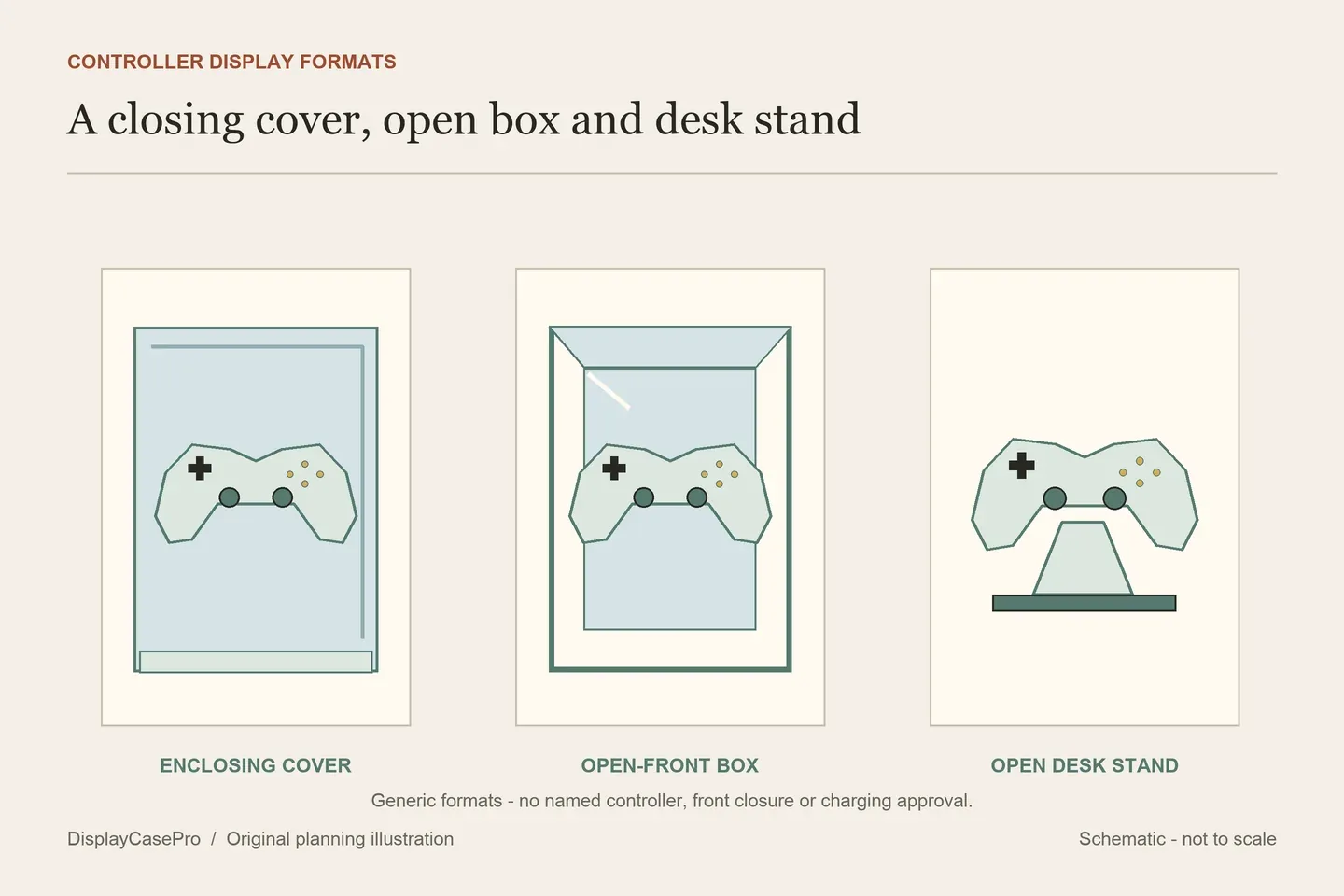
Choose a video game controller display for the real controller, its stand and the access you need. A clear enclosing cover, an open-front display box, a desk stand and a charging dock serve different purposes. Identify the exact hardware and its supported pose before deciding that any of them fits.
Start with the controller as it will be displayed
Record the maker, model and generation, then add the parts that remain attached: a grip sleeve, rear paddles, battery pack, thumbstick accessories or a permanently attached cable. A familiar console logo does not tell a stand maker the complete shape.
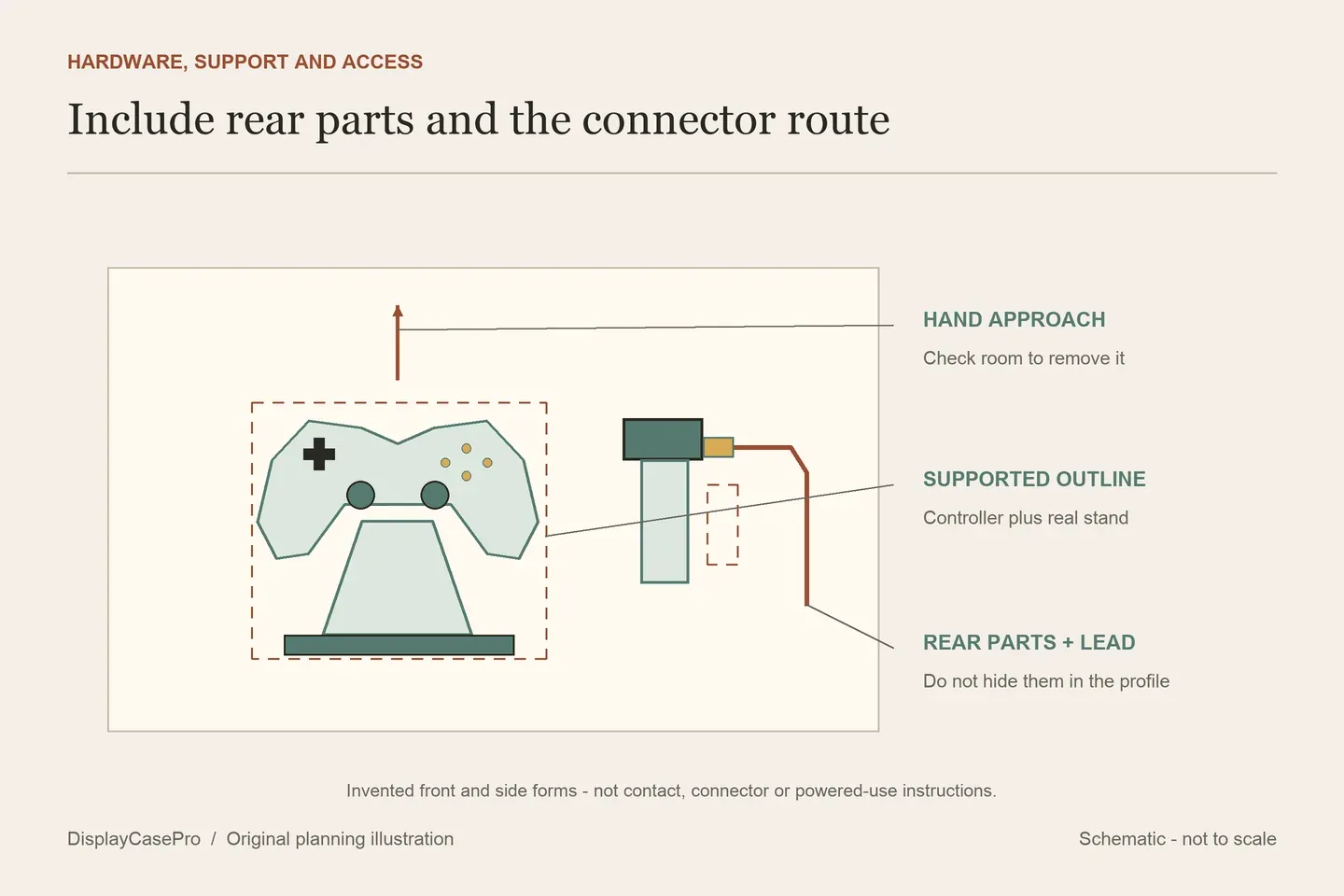
Choose the resting pose before measuring. A controller lying flat, raised on a desk stand or suspended from a wall hanger has a different combined outline. Include the actual support's height and footprint rather than comparing only the controller's catalogue width with a display box.
Check the back and underside as carefully as the front. Rear paddles, an extended battery pack and an attached connector can occupy space that is invisible in a straight-on product photograph. Identify where the proposed support contacts the body and whether those added parts interfere with that intended position.
For a wired controller, include the cable in its normal route. Decide whether it will remain connected to anything or be displayed disconnected. A forced bend or trapped lead is not a way to reduce the occupied profile. The collection measurement guide can help record the complete supported outline.
Decide whether enclosure or quick access comes first
| Format | What it can address | What still needs checking |
|---|---|---|
| Enclosing cover and base | Present a controller and its support within a closing surround. | Actual front/lid closure, usable cavity, stand fit and the cover's removal route. |
| Open-front display box | Give the controller a defined backdrop, potentially on a wall or furniture. | Holder compatibility, visible front opening and any exact mounting mode; the word “box” does not prove closure. |
| Open desk stand | Keep the controller presented and readily available. | Contact points, stability in intended use, complete footprint and clearance for rear accessories. |
| Wall or desk-clamp hanger | Move the controller off the main desktop. | Exact attachment instructions, compatible receiving surface, controller retention and the route onto and off the hanger. |
| Charging dock | Support compatible hardware while providing a specified charging function. | Exact controller/battery compatibility, power instructions and whether an additional enclosure is permitted. |
Product categories can mix these jobs. MegaModz's cases-and-stands page includes an open stand and a silicone grip case. The latter is a covering worn by the controller, not a transparent room-display enclosure. A carrying case is another category again.
Best Buy's controller-stand category mixes open tiered stands, character-shaped holders and charging docks. Treat the exact product description as decisive. The category's charging language does not give every mechanical stand a charging function.
Keep overall sizes, closure and attachment limits separate
The following examples show different specification questions. They are published descriptions, not comparative physical tests, and they do not establish compatibility with every controller named in a broad category.
| Product | Published detail | Fit question to resolve |
|---|---|---|
| IKEA YXSTABY, 706.200.11 | Product W8 5/8 × D4 3/4 × H6 1/4 in; mirrored interior and removable ABS holder. Wall/freestanding and horizontal/vertical use are described. | The product dimensions are not a clear cavity. No closing front or charging function is specified in the description read. Confirm the controller and intended holder position. |
| PlayVital Stand-AL, FQZPFC001 | Formed aluminium desk stand with non-slip pads and a list of compatible controller families; package contains one stand. | No numeric maximum controller envelope is given. Confirm the actual controller with any added grips or rear parts; this is an open support. |
| Brainwavz UGC06 clamp holder | Overall 158 × 88 × 68 mm, also stated as 6.2 × 3.4 × 2.6 in; maximum clamp thickness 40 mm / 1.5 in and minimum 5 mm / 0.1 in. | The overall axes are not labelled. The minimum metric/inch pair is inconsistent; obtain the exact accepted surface range and installation instructions. |
Keep the Brainwavz minimum discrepancy visible rather than silently choosing the more convenient unit. A desk edge close to a stated limit needs a clear answer from the maker. A clamp opening range alone also does not establish that every hollow, curved, glass or delicate finished surface is an approved attachment point.
IKEA describes a removable holder that allows other small collectibles to be displayed in the box. Removing it changes the support arrangement; it does not turn the remaining furniture into a fitted controller cradle. Likewise, a product's collaboration with Xbox does not itself certify every Xbox controller generation or modified shell.
For PlayVital, retain the distinction between a single stand and a multi-pack listing elsewhere in the catalogue. Two stands in a pack do not mean one stand holds two controllers. The maker also cautions against pressing the formed stand with excessive force; do not bend it to create a new fit.
Check the resting contact and the route off the stand
Request the intended contact points for the exact holder. Check whether rear paddles, triggers, added grips or a battery projection occupy those points. Do not substitute a guessed placement that rests the controller on a control or an accessory because the front view looks similar.
Then check retrieval. A shelf above the display, a surrounding cover or another controller beside it can obstruct the hand movement needed to lift the hardware clear. Include that approach separately from the closed display dimensions.
For a hanger, identify the controller's entry direction and the retaining lip. For a desk stand, plan a place to set the controller while removing a separate cover. For a wall box, confirm the supported orientation and how the controller engages and leaves its holder. Do not infer all of these routines from one photograph.
Keep display, cable management and charging as separate decisions
A slot that tidies a cable is not a power supply. A stand with a controller name in its title is not necessarily a charger. If charging is required, identify a dock and battery/controller combination expressly intended for that function and follow its instructions.
Do not assume that placing a charging dock inside an unrelated clear cover is an approved operating configuration. Resolve any additional enclosure with the relevant equipment makers. This display-selection task does not specify ventilation, electrical modifications or a charging circuit.
For a disconnected display, keep the connector and stored cable route within the actual layout. For a controller removed frequently, keep its return position accessible without disturbing the rest of the group. Give differently shaped models separate positions even when their stands share a finish.
Mirrored interiors and gloss shells can change which details remain visible. Choose the front view from the normal seated or standing position after support and access are resolved. The display lighting guide can help assess reflections; it does not establish a controller's enclosure or charging compatibility.
Use the blank controller-display worksheet to record the exact model, attached parts, support contacts, closure, cable path and unresolved dimension conflicts. Keep the maker's instructions with the chosen mount rather than applying one product's clamp or wall method to another.
Common questions
Is a controller display box dustproof?
Check the actual front, lid, joints and closing method. Some display boxes are open at the front, and an open stand does not enclose the controller at all. The name alone is insufficient.
Will a universal stand fit a controller with rear paddles?
Confirm that exact combination. An added part can alter the resting outline or occupy a support point even when the unmodified controller appears in a compatibility list.
Can a controller charge while displayed?
Use a specified compatible charging product in its instructed arrangement. Mechanical support and cable management do not prove charging, and a separate cover needs its own approval for any powered use.
Comments
Share a display tip or ask a question.