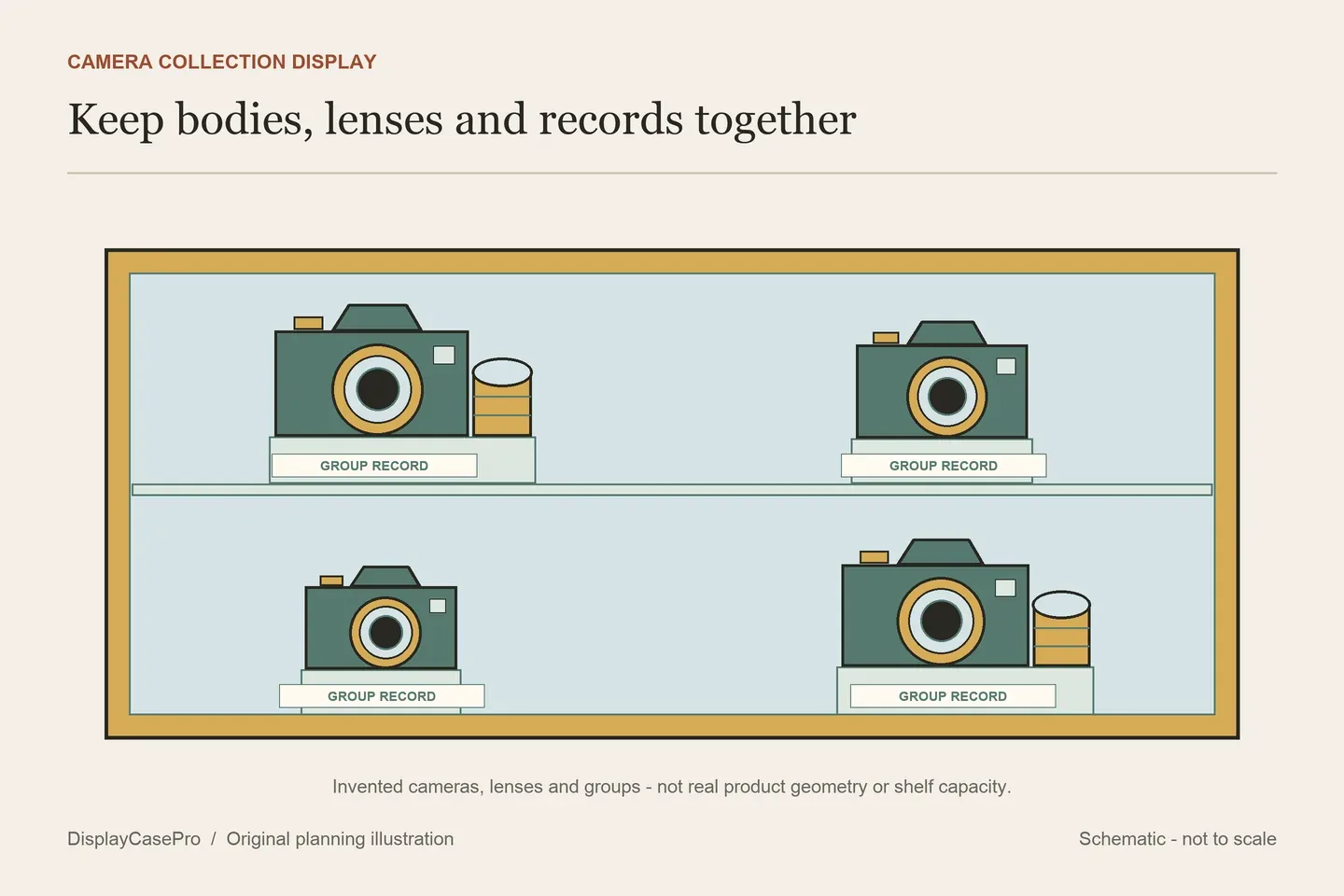
Choose a camera display case around the camera bodies, fitted lenses and accessories you want visible together. One camera on a stand, a camera-and-lens set and a collection across several shelves need different layouts. A carrying bag, a transparent display cabinet and a humidity-controlled storage product are separate choices; the word case does not establish all three functions.
Measure a camera with the lens and accessories you intend to show
Make an item list before choosing the furniture. Identify the body model and the lens attached to it, then record the intended presentation: front view, three-quarter view or another angle that shows a feature you care about. Include a hood, grip, viewfinder or other retained projection in the actual outline.
Record a separate lens as a separate supported object. Its orientation and support determine its footprint and height. A cabinet that accommodates the camera body does not automatically leave a suitable position for several lenses, caps and a caption.
Decide where the strap belongs. If it remains attached, include its arranged outline and keep it within the planned removal routine. Do not leave it trailing into a doorway or assume it can be compressed behind a camera without changing the display. The proposed arrangement should stand independently of the clear front.
For a camera you still use, distinguish the everyday display state from the configuration taken out for photography. Follow the camera and lens makers' instructions for equipment handling and storage. This guide plans the physical presentation; it does not diagnose equipment condition or prescribe cleaning, servicing or a universal storage climate.
A stand, a single enclosure and a cabinet solve different layouts
| Format | Useful arrangement | Check |
|---|---|---|
| Open stand or riser | One camera or lens at a chosen viewing angle. | Supported surface, complete footprint, retention and access. |
| Individual transparent enclosure | One clearly defined body-and-lens group. | Actual internal axes, usable opening and room for accessories. |
| Multi-shelf glass-door cabinet | A collection organized into identifiable groups. | Clear shelf dimensions, total load per shelf and removal paths. |
Achieve Display's camera-stand category presents acrylic supports and risers rather than a surrounding enclosure. The category does not provide one numeric load or fit specification for every stand. Obtain those details for the actual model instead of treating a transparent appearance as a support rating.
Searches can also return equipment-transport products. Filmtools' monitor and viewfinder bag category exposes carrying cases, field-monitor accessories and other production items. That result is relevant to a different meaning of case; it does not supply a collector's glazed cabinet or a camera-collection layout.
Keep furniture size, interior size and load limits separate
The following official product pages were read on 17 October 2026. The figures are published specifications, not measurements or camera-fit tests performed for this guide.
| Product | Published specification | Still to establish |
|---|---|---|
| IKEA MILSBO, 303.964.48 | Overall W28¾ × D16½ × H68⅞ inches; maximum load per shelf 11 lb; three adjustable shelves. | Actual clear shelf area, chosen bay heights, all objects and supports on each shelf, and opening access. |
| Nanoleaf x Fantaqi EXPO | Internal 36 × 25 × 19 cm; external 38 × 29 × 22 cm. Integrated lighting and transparent magnetic doors described. | Confirm the axes and opening for the intended orientation, complete camera group and location. |
The MILSBO dimensions describe the complete furniture. Do not use the 16½-inch overall depth as a clear shelf depth for a long lens. Ask for or measure the actual receiving area and the parts of the door or fittings that limit the approach.
Plan a shelf's total contents, including camera bodies, lenses, risers and other accessories. An 11 lb per-shelf limit is not an allowance for each camera on that shelf, and a weight below the limit does not prove suitable fit or loading arrangement. Follow the exact cabinet instructions. IKEA explicitly requires this product to be securely anchored with fixings suitable for the home.
The EXPO size is an interior sequence, which is more useful for an object check than the external sequence. It still does not establish an unobstructed aperture of the same dimensions or room for every body-and-lens combination. Keep a request for labelled axes and the intended opening with the group measurements.
PetaPixel's 8 August 2024 EXPO news article discusses the same product format. It is dated secondary coverage, so this guide uses the current official page for the interior figures rather than carrying forward the article's launch prices or broad camera-fit suggestion. No app, lighting or stacking performance was tested here.
Arrange a collection as groups you can identify
Give every camera and detached lens an identifier in a private inventory. The visible caption can remain short: model, approximate period if documented and the reason it belongs in the group. Keep uncertain model dates or family stories identified as uncertain rather than presenting them as verified history.
Possible groups include one body with its regular lens, a sequence of cameras from one maker, or contrasting camera formats. Choose one organizing question per shelf so the display has a readable purpose. You do not need every accessory in front of every camera.
A multi-row arrangement needs a sightline check. A small camera placed behind a tall body may be physically inside the cabinet but effectively invisible. Review the actual view from normal standing and seated positions before committing to a riser.
Risers add their own height, depth and weight. Confirm the support is intended for the selected object and does not obstruct its controls or removal. Do not infer a safe contact, a load rating or a secure hold from a generic acrylic stand photograph.
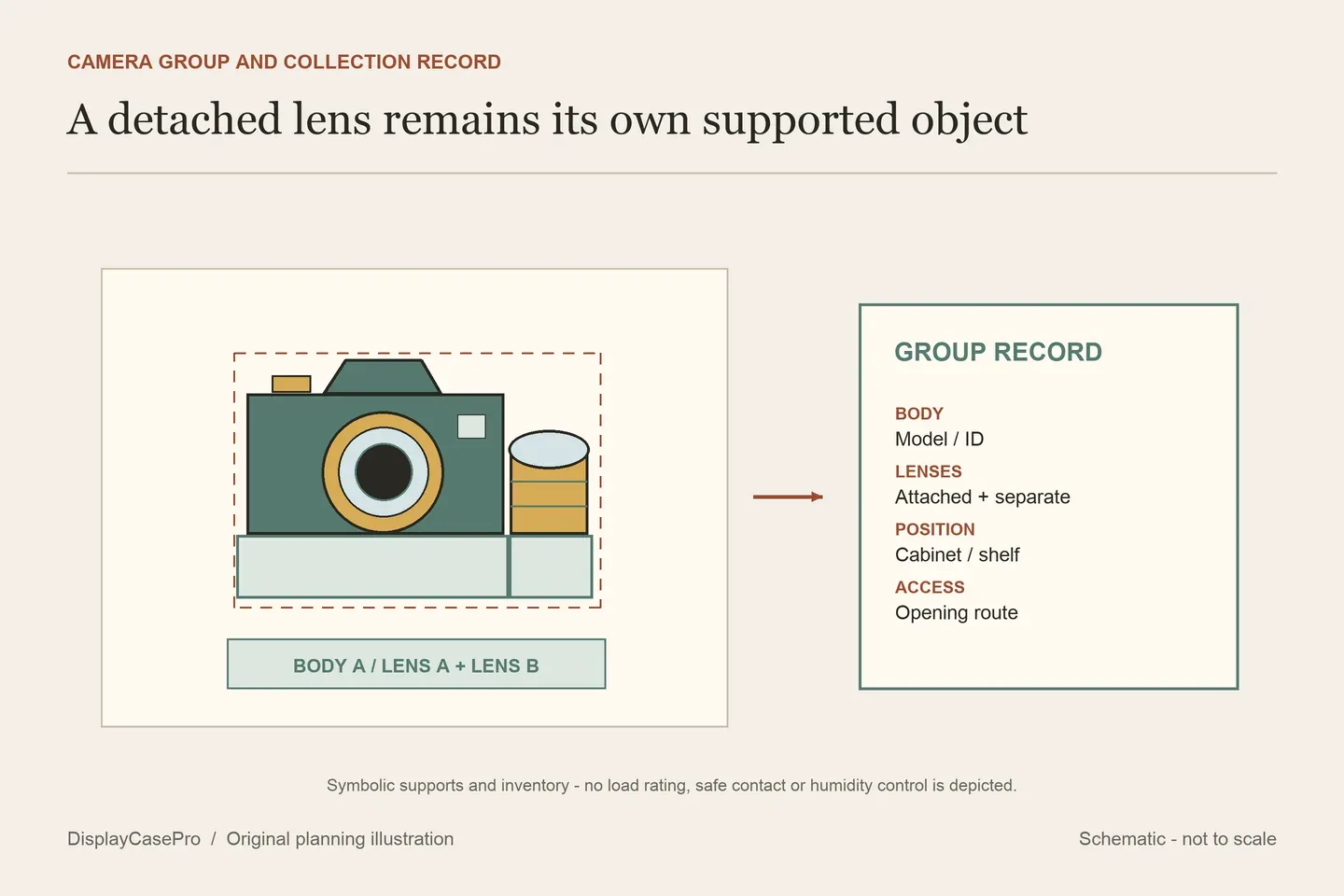
Make the opening and the viewing light part of the layout
Check the route for taking out a camera without first lifting another camera over it. Include the attached lens and arranged strap. A long lens may need a different approach from a body that is easy to place straight onto a shelf.
For a front-opening individual enclosure, confirm the aperture and the space the door occupies. For a cabinet, confirm door travel and access at the intended shelf heights. An attractive closed arrangement is incomplete if the objects cannot follow their normal removal route.
Lighting can help reveal dark controls and labels, but it can also reflect in the glass or front element. Review the real viewing angle and route cables under the product's instructions. The cabinet lighting guide covers that separate planning task; integrated RGB lighting is not evidence of humidity control or suitable long-term storage for every camera.
A 2013 Lomography community-authored cabinet project shows one collector adapting a second-hand glazed cabinet. It is an individual example, not a tested materials specification or a capacity standard. This guide does not transfer its refurbishment steps or reuse its photographs.
Use the camera group, shelf and access worksheet to record the complete layout. A transparent furniture cabinet does not become a dry cabinet because the cameras are enclosed. If equipment-specific storage conditions are required, resolve them from the relevant maker's guidance before choosing the display location.
Common questions
Can I use cabinet outside depth as lens clearance?
No. Establish clear receiving depth and the supported body-and-lens outline, including any hood and stand.
Does EXPO's inside size prove that my camera fits?
It is a starting specification. Confirm axes, the complete group, support position and opening for the actual product configuration.
Is a glass display cabinet a humidity-controlled dry cabinet?
A transparent enclosure alone does not establish humidity control. Treat that requirement as a separate product and equipment-storage decision.
Comments
Share a display tip or ask a question.